Radovar keeps people in charge of AI agents.
Radovar is a software company. We build the tools around AI agents, so the person responsible for the work can see what an agent did and decide what to keep. Our first product, Codevalanche, is a Windows desktop app where Claude Code, Codex or a local model works in your own repository, and nothing stays until you have checked it.
- 01 · The question
Who is in charge of the result?
Agents can already do real work in a codebase. When they do, someone still has to answer for what changed.
- 02 · Our answer
The person, every time.
Software where you choose the agent, follow every step it takes and keep only the changes you have checked.
- 03 · Our first product
Codevalanche.
A Windows desktop app for coding with AI agents. Early-access builds shipped in June and July 2026, and public downloads are in preparation.
Our mission
Make work with AI agents something people can understand, check and trust.
We think the tools around an agent matter as much as the agent itself: the project it works in, the conversation that guides it and the review that decides what stays.
Three ideas guide what we build: people decide, the work stays visible, and you choose the agent and the model. Codevalanche is the first product built on them.
What we build
 Codevalanche
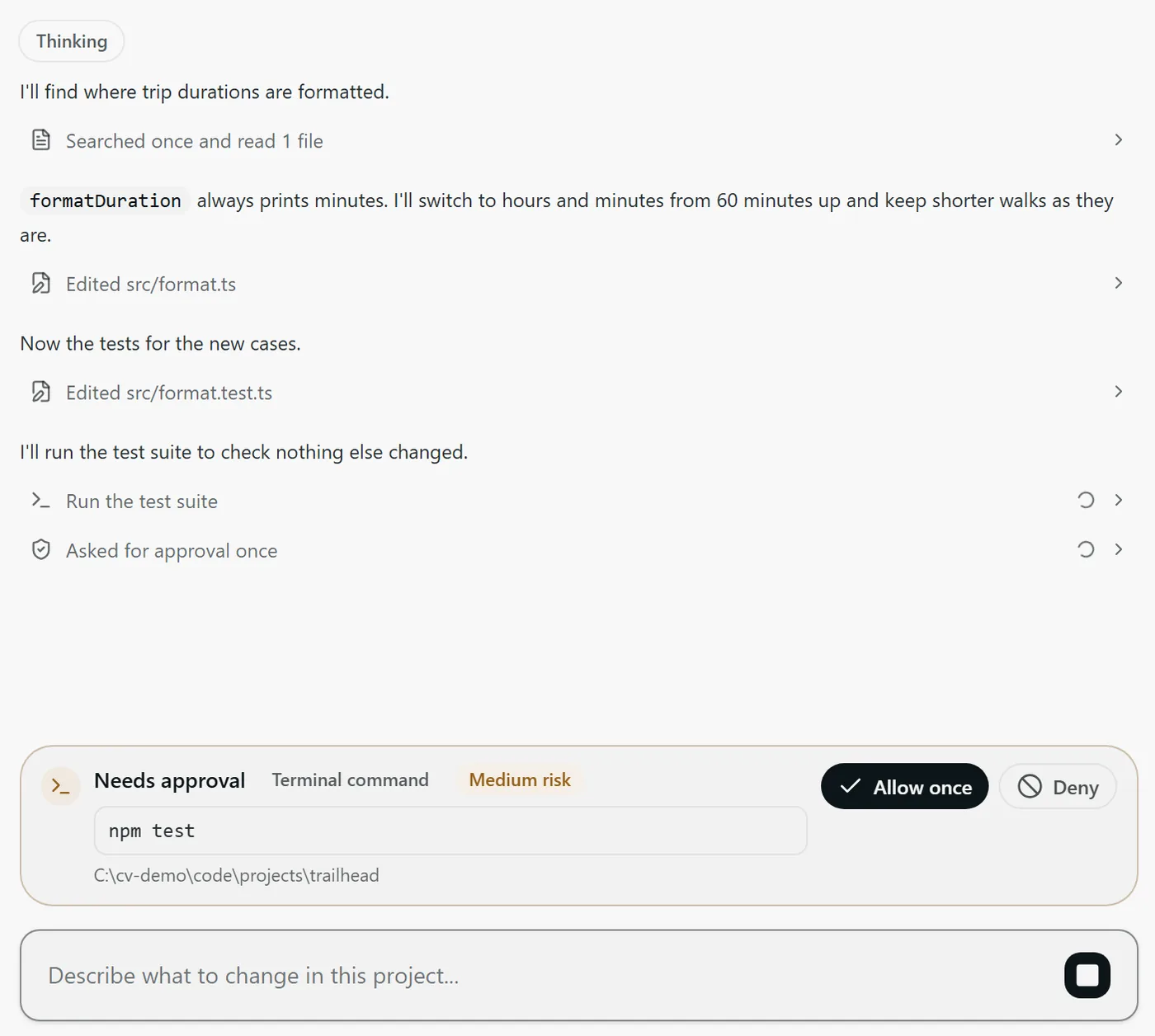
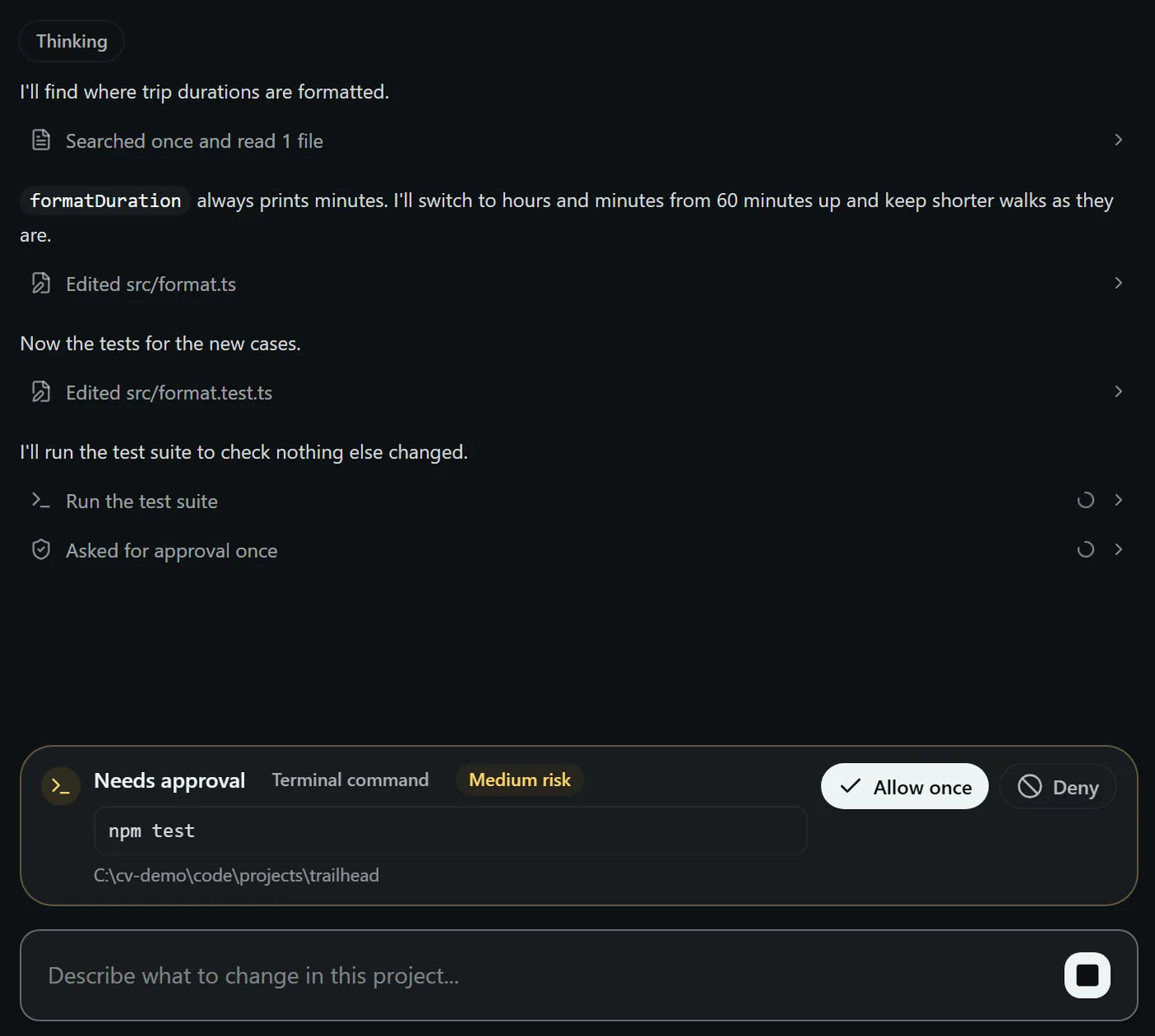
Our first product is a desktop app for coding with AI agents. Your projects, the agents you choose and the review of every change, together in one window.
- Cloud agents such as Claude Code and Codex, with your own accounts.
- Supported local models that run on your own hardware.
- Every change visible and checked before you keep it.
How a task works
From a request to a change you understand.
Give the task a home.
Open a folder that is already on your PC and describe the change in plain words. Each task keeps its own conversation, so you can come back to it without starting from scratch.
Visit codevalanche.com
Latest
From Radovar.
Can coupled oscillators act as memory for AI?
A month-long experiment published in full, including the results that did not work.
Update · 16 October 2026A new radovar.com.
The company site now says who we are and what we make. Public downloads of Codevalanche are in preparation.
SecurityYour files, providers and permissions.
What stays on your PC, and what a hosted model can receive.
Release history · June–July 2026Twenty early-access builds for Windows.
Every early-access build, its date, and the one we pulled.
Codevalanche is in early access for Windows.
Public downloads are in preparation. codevalanche.com shows what it does, which agents it supports and when you can get it.